Skip to content
  • Partners
  • Support
  • Console
  • +1-512-256-7552
Swift Sensors
Swift Sensors
  • Solution
    • System Components
    • Remote Monitoring
    • ROI
    • Installation Options
    • Calibration Services
    • Data Security
    • Regulatory Compliance
  • Sensors
    • Temperature Sensors
    • Humidity Sensors
    • Indoor Air Quality Sensors
    • Water Detection Sensors
    • Power Sensors
    • Activity Sensors
    • Vibration Sensors
    • All Sensors
  • Applications
    • Refrigeration Monitoring
    • Environmental Monitoring
    • Indoor Air Quality Monitoring
    • Vape Detection
    • Water Detection
    • Condition Monitoring
    • Utility Monitoring
    • All Applications
  • Industries
    • Hospitals
    • Laboratories
    • Food Processing
    • Restaurants
    • Schools
    • Airports
    • Warehouses
    • Manufacturing
    • All Industries
  • Articles
    • Blog
    • Case Studies
    • White Papers
    • All Articles
  • Resources
    • Guides
    • Datasheets
    • Video Tutorials
    • All Resources
  • Contact

Device Type: Console

Your data is monitored and protected 24/7 and analytics are viewable on any device in our cloud Console. Create custom dashboards to highlight the most important information gathered from Swift Sensors. Utilize the robust analytics platform to improve efficiency or download compliance reports. Configure and receive mobile alerts for significant events.

How to Generate a Daily Spot Values Report

Video How to Generate a Daily Spot Values Report

How to Generate a Daily Extremes Report

Video How to Generate a Daily Extremes Report

How to Generate a Compliance Report

Video How to Generate a Compliance Report

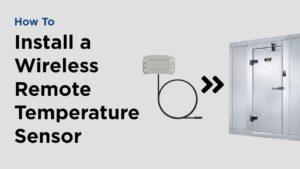
How to Install a Wireless Remote Temperature Sensor

Video How to Install a Wireless Remote Temperature Sensor

How to Add a Sensor to Your Account

Video How to Add A Sensor to Your Account

How to Add an App Icon to Your Mobile Device

Video How to Add an App Icon to Your Mobile Device

How to Add Your Logo to the Console

Video How to Add Your Logo to the Console

How to Enable Two-Factor Authentication

Video How to Enable Two-Factor Authentication

How to Add Subaccounts

Video How to Add Sub Accounts

How to Add Users and Change Permissions

Video How to Add Users and Change Permissions
Older posts
Newer posts
← Previous Page1 … Page3 Page4 Page5 Page6 Next →
Contact Info

3001 Bee Caves Rd Ste. 100
Austin, TX 78746

512-256-7552

Solution
Components Monitoring ROI Installation Calibration Security
Research
Sensors Applications Industries Articles Resources
Company
About Sales Support Partners Careers Returns
Request a Demo

If you think it can't be monitored, contact us, we might surprise you.

Contact Us
Privacy Policy
Terms & Conditions

©2026 Swift Sensors

Next Page »